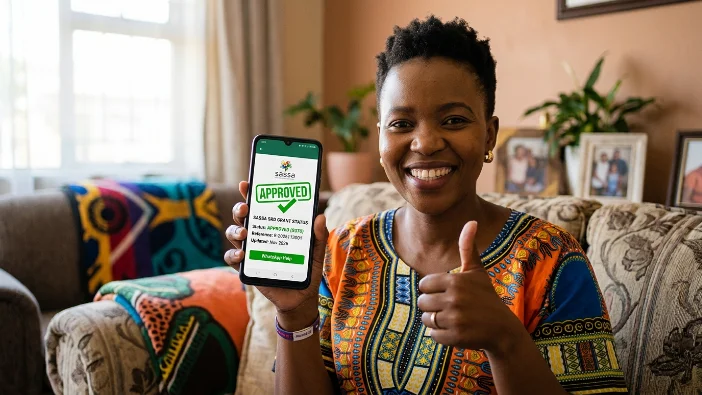
The official SASSA SRD WhatsApp number is 082 046 8553.
This is the only legitimate WhatsApp number for SASSA SRD queries in 2026. Any other number claiming to offer SASSA services on WhatsApp is not official and should not be trusted with your personal information.
The WhatsApp channel runs 24 hours a day, 7 days a week. It is automated — there is no human agent on the line — but it can tell you your current status, your payment date, and handle a few other common queries without you needing to open a browser or wait on hold.
This guide shows you exactly how to use it, what it can and cannot do, and when you need to switch to a different channel.
Quick Answer: SASSA SRD WhatsApp Number
| Detail | Information |
|---|---|
| Official WhatsApp Number | 082 046 8553 |
| What to send first | “Hi” or “Hello” |
| Available | 24 hours a day, 7 days a week |
| Cost | Free — zero-rated on most South African networks |
| Requires internet | Yes — WhatsApp needs data or WiFi |
| Human agent | No — fully automated bot |
| Best for | Quick status check and payment date confirmation |
Is WhatsApp Zero-Rated for SASSA Checks?
Yes — on most major South African mobile networks, WhatsApp messages to the SASSA number 082 046 8553 are zero-rated. This means you can use this method even if you have no data balance remaining, as long as you have a network signal and WhatsApp is installed on your phone.
Zero-rating applies on Vodacom, MTN, Cell C, and Telkom Mobile for WhatsApp data specifically. If you are on a smaller network or an MVNO, check with your provider — the zero-rating may not apply. If in doubt, use USSD 12069277# instead, which requires absolutely no data.
Step-by-Step: How to Use the SASSA WhatsApp Number
Step 1 — Save the Number First
Before opening WhatsApp, save the number to your phone contacts:
- Open your phone’s contacts app
- Add a new contact
- Name it “SASSA SRD” or any name you will recognise
- Enter the number: 082 046 8553
- Save the contact
You must save the number before opening WhatsApp — otherwise WhatsApp may not find the contact or display the chat correctly.
Step 2 — Open WhatsApp and Start the Chat
Open WhatsApp on your phone. Go to your contacts or chats and find the “SASSA SRD” contact you just saved. Tap to open a new chat.
Type “Hi” or “Hello” and send it.
Within a few seconds, the SASSA automated bot will respond with a welcome message and a numbered menu of options. The menu typically looks like this:
“Welcome to the SASSA SRD self-service line. Please choose an option: 1. Check my SRD status 2. Check my payment date 3. Reapplication information 4. General SRD information 5. Other queries”
Reply with the number of the option you need.
Step 3 — Select Status Check
To check your SRD status, reply with 1 (or whichever number the menu shows for “Check my SRD status”).
The bot will ask you to enter your 13-digit South African ID number. Type it and send.
Next, it will ask for the cellphone number registered on your SRD application — this is the number you used when you first applied, which may be different from the number you are currently chatting from. Type it and send.
The bot will pull your status from SASSA’s system and send it back to you in the chat within a few seconds.
Step 4 — Read Your Result
Your status result appears as a WhatsApp message. It will show:
- Your current month’s status — Approved, Pending, Declined, or another result
- Your payment date if you are Approved and your batch has been processed
- Your payment method — bank account or retailer collection
Take a screenshot of this message so you have a record of your payment date.
Step 5 — Ask Your Next Question or End the Chat
After receiving your status, the bot will usually offer more options or ask if you need anything else. Reply with the relevant number to continue, or send “0” or “Exit” to end the session.
If the bot does not respond to your message, try sending “Hi” again to restart the session.
What the SASSA WhatsApp Can and Cannot Do
Understanding what the WhatsApp channel handles — and what it cannot — saves you time.
What it CAN do:
- Check your current SRD R370 application status
- Confirm your payment date for the current month
- Show your status history for previous months
- Provide reapplication prompts if your application has lapsed
- Give general information about the SRD grant and eligibility
- Direct you to the correct channel for more complex queries
What it CANNOT do:
- Update your banking details — do this at srd.sassa.gov.za
- Change your registered phone number — do this at srd.sassa.gov.za/sc19/contact
- Submit a reconsideration or appeal — do this at srd.sassa.gov.za/appeals
- Connect you to a live human agent
- Resolve declined applications or investigate specific problems
- Process any payment or grant-related transactions
For anything the WhatsApp bot cannot handle, the correct next step is the online portal at srd.sassa.gov.za or the helpline on 0800 60 10 11.
When WhatsApp Is Not Working — What to Do
If the SASSA WhatsApp bot is not responding, or if you are getting no reply after several minutes, try these alternatives:
Option 1 — USSD (no data or internet needed): Dial *120*69277# from any mobile phone. Completely free, no internet required, works on any phone including basic feature phones.
Option 2 — Online portal: Go to srd.sassa.gov.za/sc19/status on any browser. Enter your ID number and registered phone number.
Option 3 — SASSA helpline: Call 0800 60 10 11 — free, Monday to Friday, 8am to 4pm. Best for complex queries or when the bot cannot give you a clear answer.
Common reasons WhatsApp may not respond:
- You sent a message to a wrong or unofficial number — always verify you are using 082 046 8553
- The bot session timed out — send “Hi” again to restart
- High traffic periods — during payment windows the bot handles millions of queries and may be slow
- WhatsApp is down on your device — restart the app and try again
How to Spot a Fake SASSA WhatsApp Number
Scammers create fake WhatsApp accounts that look like SASSA to steal ID numbers, phone numbers, and banking details from beneficiaries. These four checks protect you:
Check 1 — The only official number is 082 046 8553. Any other number claiming to be SASSA on WhatsApp is not legitimate. Do not enter your ID number or personal details in any other chat.
Check 2 — The bot responds immediately with an automated menu. The real SASSA WhatsApp bot replies within seconds with a numbered menu. If someone responds like a real person immediately and starts asking for personal information, it is a scam.
Check 3 — SASSA will never ask for your PIN, OTP, banking details, or password on WhatsApp. The legitimate bot only needs your ID number and registered phone number for status checks. It will never ask for your bank account number, card PIN, or any OTP.
Check 4 — SASSA will never ask you to pay money via WhatsApp. No fee, voucher, airtime, or payment of any kind is ever required. Anyone asking for payment through WhatsApp is committing fraud.
Check 5 — Do not click WhatsApp links sent to you in SMS messages or group chats. Always open WhatsApp yourself and go to the saved contact you created. Never click a link to “start a SASSA WhatsApp chat” sent by someone else.
If you believe you have interacted with a fake SASSA WhatsApp account, report it immediately to the SASSA fraud hotline: 0800 701 701. If money was taken from your account, also contact Postbank on 0800 53 54 55 to freeze your account.
All Official SASSA Contact Channels in 2026
| Channel | Details | Best For |
|---|---|---|
| 082 046 8553 — send “Hi” | Quick status check, payment date, 24/7 | |
| Online portal | srd.sassa.gov.za | Full status details, banking updates, appeals |
| USSD | 12069277# | No data, any phone, instant |
| Helpline | 0800 60 10 11 (Mon–Fri, 8am–4pm) | Complex problems, missing payments, escalations |
| grantenquiries@sassa.gov.za | eKYC link requests, written queries | |
| SASSA office | Nearest branch with your ID | ID verification, in-person assistance |
| Fraud hotline | 0800 701 701 | Reporting scams or fraud |
Frequently Asked Questions
What is the official SASSA SRD WhatsApp number for 2026?
The official SASSA SRD WhatsApp number is 082 046 8553. This is the only legitimate number. Save it to your contacts and initiate the chat yourself — do not click links sent to you claiming to start a SASSA WhatsApp chat.
How do I check my SASSA SRD status on WhatsApp?
Save 082 046 8553 to your contacts, open WhatsApp, and send “Hi.” Select the status check option from the menu. Enter your 13-digit ID number and the cellphone number you used to apply. Your current status and payment date are sent back in the chat within seconds.
Is the SASSA WhatsApp number free to use?
Yes. WhatsApp messages to 082 046 8553 are zero-rated on most major South African networks including Vodacom, MTN, Cell C, and Telkom Mobile. This means no data is deducted when you use this channel. If you have no data at all, use USSD 12069277# instead.
Why is the SASSA WhatsApp not responding?
Common causes include: sending a message to a wrong number, a timed-out bot session (send “Hi” to restart), high traffic during payment windows, or WhatsApp being temporarily slow on your device. If the bot is still not responding, use srd.sassa.gov.za or call 0800 60 10 11.
Can I update my banking details on the SASSA WhatsApp?
No. The WhatsApp bot cannot update banking details, phone numbers, or any personal information on your SASSA profile. For banking detail changes, log into srd.sassa.gov.za. For phone number changes, go to srd.sassa.gov.za/sc19/contact or visit a SASSA office.