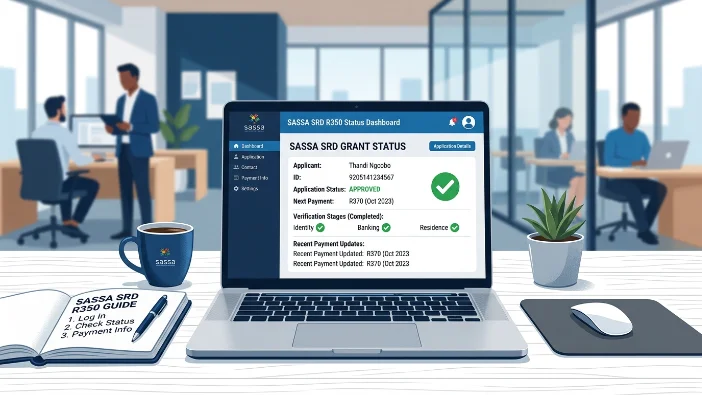
When you check your SASSA SRD R370 status at srd.sassa.gov.za, you see a word or phrase next to each month. That word is everything — it tells you whether you are getting paid, whether something needs your attention, and what your next move is.
The problem is that the portal shows over a dozen different status messages, and many of them look similar but mean completely different things. Some require immediate action. Others require nothing at all. Doing the wrong thing — like reapplying when your status says Pending — can make your situation worse.
This guide explains every single status message that appears on the SASSA SRD portal in 2026, in plain language, with the exact next step for each one.
How to Read Your SASSA SRD Status Page
When you log into srd.sassa.gov.za and enter your ID number and registered phone number, a results page loads showing a list of months — for example, May 2026, June 2026, July 2026. Next to each month is a status result.
Each month is completely independent. A declined status in June does not affect July. An approved status in May does not guarantee June. SASSA runs a fresh verification check every single month, which is why your status can change from month to month.
Find your current month in the list and match the message you see to the explanations below.
Every SASSA SRD Status Message Explained
✅ Approved
What it means: Your application passed all of SASSA’s monthly verification checks for this month — Home Affairs, SARS income check, bank sweep, UIF, and NSFAS. Your R370 payment is confirmed and being processed.
What to check next: Look directly below “Approved” for two pieces of information:
- Your payment date — the specific date your R370 will be released
- Your payment method — bank account, retailer name, or Postbank
What to do: Nothing — except go collect on or after your payment date. Do not go before your date. If you arrive at a pay point before your batch is released, you will receive a “no payment found” message.
If you see Approved but no payment date yet, see the next status below.
✅ Approved — No Payment Date
What it means: Your application has been verified and confirmed for this month but your specific payment batch has not yet been processed. This is a temporary state that resolves within 24 to 48 hours in most cases.
What to do: Check your status again in 24 to 48 hours. Your payment date will appear once your batch runs. No action is needed from you — the system is still processing your payment queue.
⏳ Pending
What it means: SASSA has received your application and is still running the monthly verification checks. No specific flag has been raised. The checks across Home Affairs, SARS, banks, UIF, and NSFAS are still in progress.
Pending is not a decline. It is a waiting state.
What to do: Nothing. Check your status every 3 to 5 days. Do not reapply — submitting a new application while one is pending creates duplicate records and extends your wait. Plain Pending typically resolves within 1 to 2 weeks for existing beneficiaries.
When to escalate: If you see Pending for more than 6 weeks with no change and no SMS from SASSA, call 0800 60 10 11.
⏳ Period Pending
What it means: This is SASSA’s monthly eligibility re-check for one specific payment cycle. For example, “July 2026 Period Pending” means SASSA is running the July 2026 verification for your account. Every single SRD beneficiary — millions of people — sees this at the start of every month. It is completely normal.
What to do: Nothing. This status appears every month for every beneficiary. It resolves to Approved or Declined once the verification completes, usually within 1 to 2 weeks. Check back in a few days.
⏳ Pending — DHA Verification
What it means: SASSA is busy confirming your identity with the Department of Home Affairs. This check verifies your ID number, full name, date of birth, and South African citizenship or residency status.
A common cause is a character mismatch between your name on the SRD application and your Home Affairs record — even a single spelling difference can hold this check.
What to do: Confirm that your full name, ID number, and surname on your SRD application match your ID document exactly — character by character. If Home Affairs has an error in its own records, visit a Home Affairs office to have it corrected. Once corrected, the check typically resolves within a few days.
⏳ Pending — Bank Details Verification
What it means: Your application has been processed but SASSA is still confirming your banking information. Your bank account must be active, registered in your own name, and at an accepted South African bank.
What to do: Log into srd.sassa.gov.za and confirm your bank account number, bank name, and account holder details are correct. Make sure the account is active — dormant accounts fail this check. If any details are wrong, update them immediately. Allow 2 to 5 business days after updating for the verification to clear.
🔁 Referred
What it means: Your application has been sent for manual human review. The automated system flagged something that needs a person to assess — typically an identity mismatch between your application and Home Affairs records, or a flag raised by the South African Fraud Prevention Service (SAFPS).
What to do: Check your SMS inbox for a message from SASSA containing an eKYC (biometric selfie) verification link. If you have one, complete it immediately — the link expires within 72 hours. If you have not received any SMS, call 0800 60 10 11 and ask specifically about your Referred status. In some cases you will need to visit a SASSA office in person with your original ID for fingerprint or photo capture.
📋 Identity Verification Required / Awaiting Identity Verification
What it means: SASSA needs you to complete an eKYC (electronic Know Your Customer) biometric check — a digital selfie verification done through your phone. This confirms you are the real person behind the application. SASSA has sent or will send an SMS to your registered number with a verification link.
⚠️ Act immediately. The link expires in 72 hours.
What to do:
- Check your SMS inbox for a message from SASSA with a verification link
- Click the link and follow the instructions to take a clear selfie
- Use good lighting, face the camera directly, remove glasses
- Submit and check your status again after 24 to 48 hours
If the link has already expired, email grantenquiries@sassa.gov.za with the subject “Request for SRD e-KYC Biometric Verification Link” and include your ID number and registered phone number. If you do not have a smartphone, visit your nearest SASSA office for in-person biometric capture.
❌ Declined
What it means: Your application did not pass one or more of SASSA’s eligibility checks for this specific month. Below the word “Declined” you will see the specific reason — this reason is critical. Every decline reason has a different fix.
What to do: Read the exact reason shown. Do not appeal without understanding your specific reason — the wrong appeal approach almost always fails.
The most common decline reasons and their fixes:
| Reason Shown | Plain Meaning | First Step |
|---|---|---|
| Means Income Source Identified | Deposits above R624 detected | Check if it was a once-off. Appeal with affidavit if so |
| Alternative Income Source Identified | Same as above — different label | Same as above |
| Identity Verification Failed | ID details mismatch with Home Affairs | Check ID details match exactly. Complete eKYC if needed |
| UIF Registered | Flagged on UIF database | Get a letter from Dept of Labour. Appeal with it |
| NSFAS Registered | Flagged as NSFAS beneficiary | Get letter from NSFAS confirming funding ended |
| Existing SASSA Grant | Another grant in your name | Appeal if you are a caregiver, not the grant holder |
| Government Payroll / GEPF | Flagged on PERSAL or GEPF | Get termination letter from former employer’s HR |
| Age Outside Range | Under 18 or 60 and over | Only appeal if your age on the system is wrong |
| Duplicate Application | More than one application on your ID | Call 0800 60 10 11 to resolve the duplicate |
You have 90 days from the decline date to submit an appeal at srd.sassa.gov.za/appeals. Do not wait — submit as soon as you have gathered your supporting documents.
❌ Period Declined
What it means: Your application was declined for one specific month — the “period” refers to that particular payment cycle. It is the same as a standard Declined result but displayed with month-specific language on the portal.
What to do: Same as Declined above. Check the specific reason shown, gather your documents, and submit an appeal within 90 days at srd.sassa.gov.za/appeals if the decline was incorrect.
📝 Reapplication Required
What it means: Your SRD application has lapsed and you need to submit a fresh application. This happens when your previous application expired, was cancelled due to inactivity, or was not reconfirmed during SASSA’s annual reconfirmation period.
This is not a decline — it means there is no active application on file for you at all.
What to do: Go to srd.sassa.gov.za and submit a new SRD reapplication. A reapplication triggers a fresh full set of verification checks. Processing takes 2 to 6 weeks. Do not submit more than one reapplication — duplicates cause delays.
🚫 Cancelled
What it means: Your SRD application has been closed or deactivated. This is different from Declined. A cancelled application means the application itself no longer exists in the system — not that you were assessed and found ineligible.
Common reasons for cancellation:
- You cancelled the application yourself
- SASSA cancelled it after a fraud flag
- It expired after a long period of inactivity
- You did not complete the annual reconfirmation in time
What to do: Do not appeal a cancelled application — there is no decision to appeal. Submit a new reapplication at srd.sassa.gov.za. A fresh application starts the verification process from scratch.
🔍 Under Review / Manual Review
What it means: Your application has been flagged for a detailed manual check by a SASSA staff member. This is similar to Referred and is often triggered by a conflict in the automated verification — for example, a name mismatch, a bank account that does not match your ID, or a SAFPS fraud flag.
What to do: Check your SMS inbox for any verification request from SASSA and respond to it immediately. If you have received a document request by SMS or email, provide the requested documents within 14 days — failing to respond within 14 days can result in an automatic decline. Call 0800 60 10 11 if you have received no communication and your status has been Under Review for more than 3 weeks.
✔️ Completed (on the Appeals Portal)
What it means: This status appears on the ITSAA appeals portal — not the main status check. “Completed” means ITSAA has finished reviewing your appeal and made a final decision.
What to do: Log into srd.sassa.gov.za/appeals and check the outcome. It will show either Approved (appeal successful — back-payment will be processed) or Declined (ITSAA upheld the original decision — final for that month).
❓ No Application Found / No Results
What it means: The portal cannot find any SRD application linked to the ID number and phone number you entered. This is not a system error with your application — it means the combination you typed does not match any record.
Most common causes:
- Wrong phone number entered — you are using your current number but registered with a different one
- Typo in the ID number
- You have never applied for the SRD grant
- Your application was cancelled and no longer shows
What to do: Double-check both your ID number (13 digits, no spaces) and your phone number (the one you used when you first applied, starting with 0). If both are correct and you have previously applied, call 0800 60 10 11. If you have changed your phone number since applying, visit srd.sassa.gov.za/sc19/contact to update it, or visit a SASSA office with your ID.
Status Change Guide: What Each Change Means Month to Month
| Last Month | This Month | What It Means |
|---|---|---|
| Approved | Pending | Normal — monthly re-check running. Wait and check back |
| Approved | Declined | Something changed this month — check the decline reason |
| Declined | Approved | Situation resolved — payment is coming this month |
| Pending | Approved | Verification cleared — payment is being processed |
| Pending | Declined | Verification flagged an issue — check the reason |
| Approved | Cancelled | Application lapsed — reapply immediately |
| Any | Referred | Manual review triggered — check SMS for verification link |
Frequently Asked Questions
What does SASSA SRD status “Approved” mean?
Approved means your application passed all monthly eligibility checks and your R370 payment is confirmed. Check your status page for your specific payment date and method. Go collect only on or after your payment date.
What does SASSA SRD status “Pending” mean?
Pending means SASSA is still running the monthly verification checks. It is not a decline. Check every 3 to 5 days and do not reapply. Most pending statuses for existing applicants resolve within 1 to 2 weeks.
What does “Period Pending” mean on SASSA SRD?
Period Pending is the monthly re-check that every SRD beneficiary sees at the start of each month. It is completely normal. No action is needed — check back in a few days.
What does SASSA SRD status “Referred” mean?
Referred means your application has been sent for manual review, usually due to an identity mismatch or fraud flag. Check your SMS for an eKYC verification link and complete it within 72 hours. Call 0800 60 10 11 if you have received no communication.
What does “Cancelled” mean on SASSA SRD — is it the same as declined?
No. Cancelled means your application was closed or deactivated. Declined means you were assessed and did not meet the criteria. If your status is Cancelled, submit a new reapplication at srd.sassa.gov.za. If Declined, check the reason and consider an appeal.