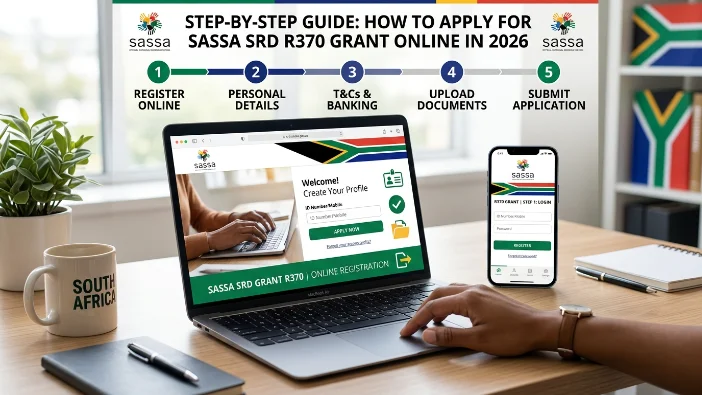
The SASSA SRD R370 grant pays R370 per month to unemployed South Africans who have no other source of income or state support. As of July 2026, the grant is confirmed to continue until at least 31 March 2027, backed by a R36.4 billion Budget allocation.
Applications are submitted online only at srd.sassa.gov.za — there is no in-person application option and no SASSA office queue required. The process takes approximately 10 minutes if you have everything ready.
This guide covers who qualifies, exactly what you need, and every step of the application from start to finish.
Quick Answer: What You Need to Apply
| Requirement | Detail |
|---|---|
| Where to apply | srd.sassa.gov.za |
| Application link | srd.sassa.gov.za/sc19/application/auth |
| What you need | SA ID number + active cellphone number |
| Bank details | Optional at application — add after approval |
| Cost | Free — no fee at any step |
| Processing time | Up to 30 days |
| Do you reapply monthly? | No — one application stays active |
| Grant amount | R370 per month |
Step 1 — Check If You Qualify Before Applying
Before starting the application, confirm you meet every one of these requirements. If you do not meet all of them, your application will be declined automatically.
You must:
- Be a South African citizen, permanent resident, recognised refugee, or asylum seeker with valid documentation
- Be aged 18 to 59 — applicants under 18 or 60 and older do not qualify for SRD
- Be currently living in South Africa
- Have no income or income below R624 per month from any source
- Have a valid 13-digit South African ID number or refugee/asylum permit number
- Have an active South African cellphone number in your name
You must NOT be:
- Receiving any other SASSA grant in your own name (Child Support Grant as a caregiver does not disqualify you)
- Registered as receiving UIF payments from the Department of Employment and Labour
- Receiving NSFAS student funding
- Employed on the government payroll (PERSAL)
- Registered on the GEPF (Government Employees Pension Fund) as an active contributor
If you are unsure about any of these points — especially the income or bank deposit requirements — SASSA encourages you to apply and let the automated system assess your eligibility based on live database checks. The system is more accurate than guessing.
Step 2 — What to Have Ready Before You Start
Gather these before opening the application portal. Having everything ready prevents your session from timing out mid-application.
Required:
- Your 13-digit South African ID number — exactly as printed on your green ID book or Smart ID card
- An active South African cellphone number — SASSA will send an OTP to this number. The number must be currently active and able to receive SMS. This number becomes your registered number for all future SRD communications
Recommended to have ready:
- Your email address — optional but useful for receiving application confirmations and notifications
- Your bank account details — bank name, account number, and branch code. You can add these after approval if you do not have them ready now
Important: Your cellphone number must not already be registered on another active SRD application. Each ID number and each cellphone number can only be linked to one SRD application at a time.
Step 3 — Go to the Official Application Portal
Open any browser on your phone, tablet, or computer and go to:
srd.sassa.gov.za
On the home page, click or tap “Apply” or “New Application.”
The direct application link is: srd.sassa.gov.za/sc19/application/auth
⚠️ Safety check: Before entering any information, look at your browser’s address bar. It must show exactly srd.sassa.gov.za — nothing else before “srd.” If the address is different, you are on a fake website. Close it immediately and type the address yourself.
Step 4 — Enter Your Cellphone Number and Verify With OTP
The first screen asks for your South African cellphone number. Enter the number you want to register for the SRD grant — starting with 0, for example 0821234567.
Click “Send OTP.”
SASSA sends a one-time PIN (OTP) via SMS to the number you entered. Check your messages and enter the OTP on the screen. You have a few minutes before the OTP expires — enter it promptly.
If the OTP does not arrive within 2 minutes:
- Check that the number you entered is correct
- Make sure your phone has signal and is able to receive SMS
- Click “Resend OTP” if the option appears
- If the number is correct but the OTP still does not arrive, try again later — the portal may be under heavy traffic
Step 5 — Enter Your ID Number and Personal Details
After OTP verification, the next screen asks for your 13-digit South African ID number. Enter it carefully — no spaces, no dashes.
The portal cross-references your ID number with the Department of Home Affairs in real time. If your ID number does not match any Home Affairs record, or if the number is already linked to an active SRD application, you will see an error message.
Next you will be asked to confirm or fill in personal details — your full name, surname, date of birth, gender, and nationality. These are usually pre-filled from Home Affairs based on your ID number. Check that they match your ID document exactly before continuing.
Step 6 — Confirm Your Email Address (Optional)
The portal may ask for your email address. This is optional — you can leave it blank if you do not have one. However, providing an email address means you will receive application confirmations and status notifications by email in addition to SMS.
Step 7 — Read and Accept the Consent Declaration
Before submitting, SASSA displays a consent page and a declaration. This is a required step — you cannot submit without accepting both.
What the consent means: You are giving SASSA permission to verify your personal details against official government databases — Home Affairs, SARS, UIF, NSFAS, and your bank account. This is how SASSA checks your eligibility every month. If you withdraw your consent later, your application will stop.
What the declaration confirms: You confirm that you meet all SRD eligibility criteria — that you are between 18 and 59, living in South Africa, are a citizen or legal resident, have no income above R624 per month, and are not receiving other government support.
Read both carefully before accepting. Submitting false information is a criminal offence under the Social Assistance Act 13 of 2004.
Step 8 — Choose Your Payment Method
After the declaration, the portal asks how you want to receive your R370 each month. You have two options:
Option 1 — Bank account (EFT): Enter your bank name, account number, and branch code. Your R370 is deposited directly into your account each month once approved. This is the fastest payment method — bank account holders typically receive payment in earlier batches each month.
Accepted banks: Capitec, FNB, ABSA, Standard Bank, Nedbank, TymeBank, Postbank.
Your account must be:
- Active and in good standing
- Registered in your own name — not a spouse, parent, or anyone else
- A South African bank account
Option 2 — Retail pay point collection: If you do not have a bank account, choose to collect at a participating retailer. You will receive an SMS when your payment is ready to collect each month. Collect using your South African ID document and registered phone number at:
- Shoprite, Checkers, Usave
- Pick n Pay, Boxer
- Spar, Superspar
- Post Office branches
If you skip payment details now: You can add or update your banking details later at srd.sassa.gov.za/sc19/banking-details-update once your application is approved. Your payment will only be processed once valid payment details are on file.
Step 9 — Submit and Save Your Reference Number
Click Submit to complete your application.
A confirmation screen appears with your application reference number. This number is proof that your application was received by SASSA.
Take a screenshot of this screen immediately. Your reference number is needed to:
- Follow up on your application if there is a delay
- Confirm your application exists if you see “no application found” on the status check portal
- Contact SASSA about your specific application
After submitting, SASSA sends a confirmation SMS to your registered number. Keep this message.
What Happens After You Apply
Once your application is submitted, SASSA begins processing. Here is what to expect:
Verification phase (first few weeks): Your status on srd.sassa.gov.za will show Pending while SASSA runs checks against Home Affairs, SARS, UIF, NSFAS, and your bank records. This is normal and can take up to 30 days, though many applications are processed faster.
Do not reapply while your status shows Pending — one application per person. Duplicate applications cause confusion and delays.
eKYC biometric verification (some applicants): SASSA may send you an SMS with a link to complete a biometric selfie verification (eKYC). If you receive this link, act within 72 hours — it expires and your application will be held until it is completed.
Outcome notification: Once SASSA completes verification, your status changes to either Approved or Declined. You receive an SMS notification when a decision is made. You can also check your status at any time at srd.sassa.gov.za/sc19/status.
If Approved: Your payment date appears on your status page. Go collect on or after that date — not before. For bank account recipients, the money reflects within 2 to 3 business days of your payment date.
If Declined: Check the specific reason shown on your status page. You have 90 days from the decline date to submit a reconsideration or ITSAA appeal at srd.sassa.gov.za/appeals.
Do you need to reapply every month? No. Once your application is active, SASSA reassesses your eligibility automatically every month using fresh data. You do not reapply — you simply check your status each month. Your application stays active as long as it is not cancelled or expired.
Common Application Mistakes to Avoid
Using a phone number that is already registered on another application: Each cellphone number can only be linked to one SRD application. If your number was used by someone else — or if you previously applied and then let the application expire — the portal will reject it. Call 0800 60 10 11 to resolve this before applying.
Entering the wrong phone number: If you enter a number you do not own or have access to, you will not receive the OTP, status updates, or payment notifications. Use only a number that is active and in your possession.
Not saving the reference number: Once you leave the confirmation screen, retrieving your reference number requires contacting SASSA. Take a screenshot before closing the page.
Adding someone else’s bank account: SASSA verifies that your bank account is registered in your name. An account in someone else’s name will fail the banking details check and delay your payment.
Applying multiple times: One application per person. If you think your first application did not go through, check your status at srd.sassa.gov.za/sc19/status before trying again. If the status page shows your application, it was received.
Frequently Asked Questions
How do I apply for the SASSA SRD R370 grant online in 2026?
Go to srd.sassa.gov.za and click “Apply” or go directly to srd.sassa.gov.za/sc19/application/auth. Enter your cellphone number, verify with the OTP sent via SMS, enter your 13-digit ID number, fill in your personal details, accept the consent and declaration, choose your payment method, and submit. The process takes approximately 10 minutes.
What do I need to apply for the SASSA SRD grant in 2026?
You need your 13-digit South African ID number and an active South African cellphone number. Bank account details are optional at the time of application — you can add them after approval. An email address is also optional.
Can I apply for SASSA SRD at a SASSA office in 2026?
No. The SRD R370 grant application is online only. There is no in-person application process at SASSA offices. You apply at srd.sassa.gov.za using any phone, tablet, or computer with internet access.
How long does the SASSA SRD application take to process?
Most applications are processed within 30 days. During this time your status shows Pending. Some applicants are processed faster. You receive an SMS when a decision is made and can check your status anytime at srd.sassa.gov.za/sc19/status.
Do I need to reapply for the SASSA SRD grant every month?
No. Once your application is active, SASSA reassesses your eligibility automatically every month. You do not submit a new application each month. Check your status each month to see whether you have been approved or declined for that payment cycle.