If you have applied for the SASSA SRD R370 grant, checking your status is the only way to know whether you have been approved, when you will be paid, and what to do if something has gone wrong.
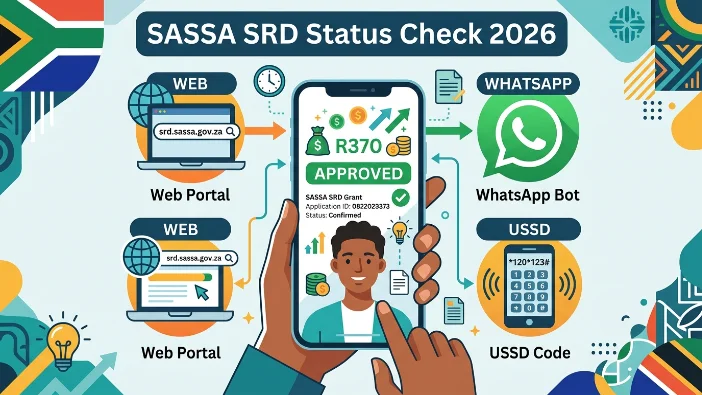
There are four official ways to check — online, WhatsApp, USSD, and the helpline. All four are free, all four pull from the same SASSA database, and all four work in 2026. This guide shows you exactly how to use each one, what every status result means, and the next step to take for each outcome.
Quick Answer: How to Check Your SASSA SRD Status Right Now
Fastest method — Online portal: Go to srd.sassa.gov.za → enter your 13-digit ID number → enter the cellphone number you used to apply → click Submit. Your status for every month appears within seconds.
No data needed — USSD: Dial *120*69277# from any phone → follow the prompts → enter your ID number. Free, works on any phone, no internet needed.
What You Need Before You Check
You only need two things — the same two pieces of information for every method:
- Your 13-digit South African ID number
- The cellphone number you used when you applied for the SRD grant — this must match exactly, even if you have since changed your number
If you have changed your phone number since applying, update it first at srd.sassa.gov.za before checking your status, otherwise you will not be able to log in.
Method 1 — Online Portal at srd.sassa.gov.za (Recommended)
The official SRD portal is the most complete method. It shows your status for every month, your exact payment date once approved, and your specific decline reason if declined.
Steps:
- Open any browser and go to srd.sassa.gov.za
- Click “Application Status” or “Check Your Status” on the home page
- Enter your 13-digit South African ID number
- Enter the cellphone number linked to your SRD application
- Click Submit
- Your status for each month appears — find the current month and read your result
Your July 2026 payment date will appear next to your approved status once your payment batch has been processed. If you see Approved but no date yet, check again in 24 to 48 hours.
If the portal is slow or not loading: The SRD portal receives its highest traffic between 8am and 11am on payment days. If you see a blank page or “Too Many Requests” error, try again in the evening or use USSD 12069277# as a backup. Do not refresh repeatedly — wait and retry later.
Direct status link: srd.sassa.gov.za/sc19/status
Method 2 — WhatsApp (Zero-Rated on Many Networks)
WhatsApp is zero-rated on many South African mobile networks, meaning you can use this method even with no data balance.
Steps:
- Save 082 046 8553 to your phone contacts
- Open WhatsApp and send the word “Hi” to start the chat
- The SASSA bot will respond with a menu — select the SRD status option
- Enter your ID number when prompted
- Your current status and payment date are sent back as a WhatsApp message
Best for: Anyone with WhatsApp but limited data, or who finds the website slow on their phone.
Method 3 — USSD (No Data or WiFi Needed)
USSD works on any mobile phone — smartphone or basic feature phone — with no internet or data required.
Steps:
- Open your phone’s dialler
- Dial *120*69277# and press the green call button
- Follow the on-screen prompts
- Enter your ID number when asked
- Your SRD status is displayed on screen
Alternative USSD code: *120*3210# also works if the first code does not connect in your area.
Best for: Feature phones, rural areas with poor data signal, or when you have no data or airtime.
Method 4 — SASSA Toll-Free Helpline
Use the helpline when your status is unclear, your payment is missing, or you need to speak to a person about a specific problem on your account.
- Number: 0800 60 10 11
- Hours: Monday to Friday, 8am to 4pm
- Cost: Completely free from any South African phone
- What to have ready: Your 13-digit ID number and registered cellphone number
When your call connects, select the SRD option from the menu. Tell the agent you want to check your status and provide your ID number and phone number. The agent can see the same information shown on the portal and can explain what is happening on your profile.
What Every SASSA SRD Status Means — and What to Do
| Status | What It Means | What to Do |
|---|---|---|
| Approved | Passed all checks for this month — payment is being processed | Check your payment date on the portal. Go collect only on or after that date |
| Pending | Verification checks are still running | Wait 3 to 5 days and check again. Do not reapply |
| Period Pending | Monthly re-check running — normal for all applicants each month | No action needed. Check back in a few days |
| Declined | Failed one or more eligibility checks this month | Check the exact decline reason and follow steps for that specific reason |
| Referred | Sent for manual review — a specific check needs human assessment | Complete any eKYC SMS verification received. Call 0800 60 10 11 if no SMS |
| Identity Verification Required | Biometric selfie (eKYC) needed to confirm your identity | Act immediately — check your SMS for a link. It expires in 72 hours |
| Approved — No Payment Date | Approved but batch not yet processed | Check again in 24 to 48 hours — your date appears once your batch runs |
| Reapplication Required | Application lapsed — needs fresh submission | Log into srd.sassa.gov.za and submit a new reapplication |
| Cancelled | Application closed — not the same as declined | Do not appeal. Submit a new reapplication at srd.sassa.gov.za |
My Status Shows Approved — When Will I Be Paid?
Once your status shows Approved for the current month, your payment date appears on the same status page. The SRD R370 grant is paid in batches — not on a single fixed date for everyone.
For July 2026, the payment window runs from 4 July to 31 July. Most batches are processed between 21 and 31 July.
- Bank account (EFT) recipients are paid in earlier batches and typically receive payment within the first two weeks of the window
- Retail pay point collectors (Shoprite, Pick n Pay, Boxer, Spar, Checkers) are generally in later batches from mid-month onwards
- After SASSA releases your batch, allow 2 to 3 business days for the funds to reflect in your bank account
Do not go to a pay point until your status shows your payment date. A “no payment found” message at the till means your batch has not been released yet — not that your money is lost.
My Status Shows Declined — What Do I Do?
A decline is not permanent. Each month is assessed independently and a decline in one month has no effect on the next.
Step 1: Check the exact reason shown on your status page below the word “Declined.” Every decline reason has a specific fix.
Step 2: If the reason is incorrect — for example, a once-off family transfer was flagged as income — submit a reconsideration or ITSAA appeal within 90 days at srd.sassa.gov.za/appeals.
Step 3: Keep checking your status for subsequent months. If the reason for your decline was temporary (a one-off deposit, a resolved UIF flag), you may be approved automatically the following month.
Common decline reasons and their fixes are covered in full in the SASSA SRD Declined Reasons guide on this site.
My Status Is Pending for More Than 3 Weeks — What Should I Do?
Pending for the first 1 to 2 weeks of the month is completely normal. If your status has shown Pending for more than 3 weeks with no change:
- Check your SMS inbox for a message from SASSA containing an eKYC verification link — if you find one, complete it immediately before the 72-hour expiry
- Log into the portal and check that your ID details and phone number are correct
- Confirm your bank account details are correct and the account is active
- If everything looks correct and there is still no movement after 6 weeks, call 0800 60 10 11 or WhatsApp 082 046 8553
How to Check Your Status If You Changed Your Phone Number
If you have changed your cellphone number since applying, you cannot check your status using the new number — the portal will not recognise it. You must update your number first.
To update your phone number:
- Go to srd.sassa.gov.za/sc19/contact
- Enter your ID number and your original registered number (if you still have access to it)
- If you no longer have access to the old number, visit your nearest SASSA office in person with your ID document to have it updated manually
Once your number is updated, allow 24 to 48 hours before checking your status again.
Status Check Safety: Avoiding Fake Websites and Scams
Thousands of unofficial websites mimic the SASSA SRD status check portal to steal personal information. Protect yourself:
- Only use srd.sassa.gov.za — this is the only status check SASSA SRD portal. Check the address bar before entering any information
- Never enter your ID or phone number on a site shared in a WhatsApp group unless you have confirmed the link goes directly to srd.sassa.gov.za
- Never share your OTP with anyone — not even someone claiming to be a SASSA agent
- No legitimate SASSA service asks for payment — if a website asks for money to check your status, it is a scam
Report suspected scams to the SASSA fraud hotline: 0800 701 701
Frequently Asked Questions
How do I check my SASSA SRD status in 2026?
Go to srd.sassa.gov.za, enter your 13-digit ID number and the cellphone number you used to apply, and click Submit. Your status for each month is shown immediately. You can also check via WhatsApp by sending “Hi” to 082 046 8553, or dial 12069277# with no data needed.
What does SASSA SRD status “Approved” mean?
Approved means your application passed all of SASSA’s monthly eligibility checks — Home Affairs, SARS, bank sweep, UIF, and NSFAS — and your R370 payment is being processed. Your exact payment date appears on the status page once your batch is released.
What does SASSA SRD status “Pending” mean?
Pending means SASSA is still running the monthly verification checks on your application. It is not a decline. Check again every 3 to 5 days. Do not reapply while your status shows Pending.
What is the SASSA SRD status check website?
The official SASSA SRD status check website is srd.sassa.gov.za. The direct status check page is srd.sassa.gov.za/sc19/status. Only use this official address — do not use any other websites or links shared on social media.
Can I check my SASSA status without data or internet?
Yes. Dial 12069277# from any mobile phone — smartphone or basic phone — with no data or internet needed. Follow the on-screen prompts and enter your ID number to see your status.